
Pixel Coloring-Color by number
Coloring Game Studio@RabiGameBoard
4.4340.00 Reviews
- Version
- 1.42.31
- Installs
- 1.00M
- Age Rating
- Everyone
Screenshots



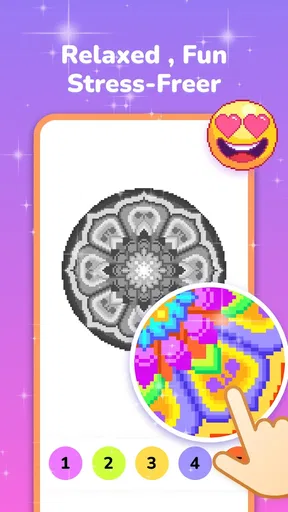
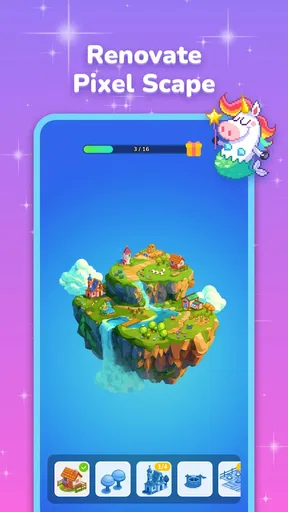

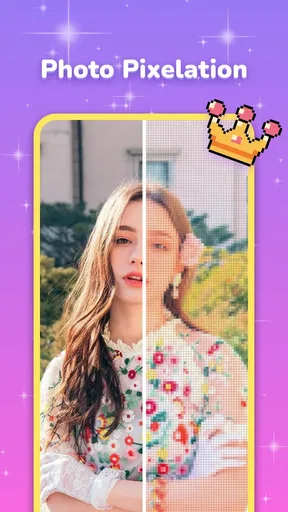
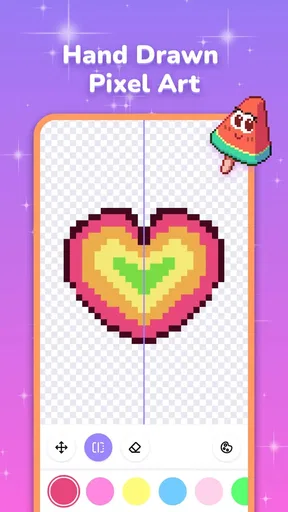
Our Review of Pixel Coloring-Color by number
 Analysis by Appyee
I approached Pixel Coloring-Color by number expecting a simple way to fill spare minutes, but it works better when treated as a small, repeatable drawing routine. The game turns numbered areas into a pixel-art coloring task: choose a color, find its matching spaces, and gradually watch a picture become complete. That basic loop is easy to understand, yet the pleasure comes from how little mental effort it demands once I settle into a rhythm.
As a free board game from Coloring Game Studio@RabiGame, it is aimed at a very broad audience. The Everyone rating makes sense because the activity is calm and non-competitive in spirit. It is also available for devices running Android 6.0 or later, which makes it suitable for older phones and tablets that cannot handle more demanding games. The current version is 1.42.31, and the project has built a sizeable audience, with more than a million installs and a 4.4 average from roughly 4.7 thousand ratings.
How I use the coloring board without turning it into a chore
My usual session starts with a simple decision: am I looking for a quick reset or a longer picture to finish? For a short break, I choose a design with visible, separated blocks and work through one color at a time. For a slower evening, I am more willing to take on a dense image where small squares and similar shades require closer attention. That choice matters because the same game can feel either pleasantly meditative or slightly fiddly depending on the picture.
The baseline workflow is straightforward. I select a color, scan the image for its numbered cells, and tap each matching area. When I stop trying to rush, the board becomes a visual checklist. Uncolored sections show me exactly where to continue, while completed areas provide a useful sense of progress. I find this more relaxing than an ordinary puzzle because there is no opponent waiting for a mistake and no timer pushing me toward a particular pace.
One practical habit makes a noticeable difference: I zoom in before working on clusters of tiny pixels rather than repeatedly tapping at full view. At the wider view, I can understand the composition; at the closer view, I can place individual colors with more confidence. I then zoom back out to check whether the image still looks balanced. This alternating view is more reliable than staying permanently zoomed in, because it prevents me from losing sight of the overall pattern.
I also avoid treating every color as an obligation to finish immediately. If a shade is scattered across the entire board, I work through the easiest visible groups first and leave awkward corners for later. This keeps the session moving. Trying to hunt down every last cell before changing colors can make a relaxing exercise feel like administrative work, especially on detailed pixel art.
That is where the game differs from a conventional board title. There is no strategic contest in the usual sense, and the board is not asking me to calculate several moves ahead. The challenge is attention: recognizing the right number, controlling taps, and deciding how much detail I want to pursue. People who enjoy crossword clues, tile matching, or competitive board games may find it too quiet. People who want a low-pressure activity between demanding tasks are more likely to appreciate it.
Settings and small choices that affect the experience
I recommend checking the available in-game options before settling into a long session. In a coloring game, small interface choices can matter more than they would in a typical arcade title. Look for controls related to sound, vibration, visual assistance, and the way the board responds to taps. I prefer a quiet setup when using it before bed, while a little feedback can be useful when I am working quickly and want confirmation that a cell registered.
The important point is not to assume that the default arrangement is perfect for every situation. If the screen feels busy, reduce distractions where the game allows it. If taps seem easy to miss, slow down and use a larger view rather than repeatedly pressing the same spot. On a compact phone, holding it steadily with one hand and tapping with the other gives me better control than trying to scroll and color with the same thumb.
Screen size changes the character of the game. A phone is convenient for short sessions, but a tablet gives small pixel groups more breathing room and makes the picture easier to inspect. On a smaller display, I would choose less intricate designs when I want relaxation. Detailed images can still be enjoyable, but they demand more zooming and panning, which may not be what someone wants from a supposedly effortless pastime.
It is worth remembering that the game is free to start, but it includes optional purchases ranging from $0.99 to $69.99 per item. I would approach those choices deliberately rather than tapping through them automatically. A free catalog is enough to decide whether the coloring loop suits me. If I later want to spend money on additional content or other offered items, I would first ask whether it adds variety I will genuinely use or merely removes a temporary feeling of impatience.
That purchase range is one reason I would not hand the device to a child without checking the device’s purchase protections first. The Everyone rating describes the content, not a promise that every purchase decision will be suitable for every family. For adults, the same advice is useful: try the free experience, understand what is being offered, and keep purchases intentional.
Faster patterns for people who want a smoother routine
Experienced use is less about tapping at maximum speed and more about reducing unnecessary searching. I begin by identifying whether the current color is concentrated in one region or spread across the image. A concentrated color is worth clearing in one pass because it quickly opens the artwork. A scattered color is better handled by scanning in a consistent direction, such as top to bottom, so I do not keep revisiting the same sections.
Another useful pattern is to divide the board into visual zones. I might work across the upper area, then the center, then the lower area, while still following the selected number. This gives my eyes a fixed route and makes missed cells easier to spot. Random scanning feels quicker at first, but it usually creates more backtracking. A repeatable route is especially helpful when the picture contains many small, similarly colored squares.
I also use the shape of unfinished areas as a guide. Large blank patches are easy to notice, but isolated cells beside completed artwork are the ones most likely to be overlooked. Near the end of a picture, I stop trying to color quickly and switch to a deliberate edge check. I inspect corners, narrow outlines, and spaces around completed objects. This final pass is a simple habit, but it prevents the common frustration of believing a picture is finished and then searching for one stubborn remaining cell.
For a realistic everyday scenario, imagine a commute or a lunch break with only a few quiet minutes. I would open the game, choose a familiar-looking board, complete one color family, and stop without feeling that I had abandoned a competitive match. Later, I can return to the same picture and continue from a clear visual state. That makes it more flexible than a game whose enjoyment depends on maintaining a long chain of progress.
It can also work as a wind-down activity after screen-heavy work, although I would keep the brightness comfortable and avoid assuming that every session will feel calming. Detailed pixel grids still require visual concentration. If my eyes are tired, I choose a simpler image or stop early. The game is relaxing because it is controlled and predictable, not because it removes all effort.
Where the pixel format helps, and where it gets in the way
The pixel-art format gives the coloring process a clear structure. Every cell has a defined place, so I am not making vague artistic decisions about where a brush should go. That is a strength for anyone who likes completion, order, and visible progress but does not consider themselves artistic. It also makes the result feel earned: the image begins as a scattered grid and gradually gains recognizable shapes.
The same structure creates limits. Someone looking for freehand drawing, custom brushes, layered artwork, or personal sketching tools should choose a drawing app instead. This is not a substitute for making an original illustration. It is closer to solving a visual organization task with a decorative result. Likewise, anyone seeking a deep board strategy game will probably find the interaction too passive.
Compared with ordinary coloring-book apps, the numbered system removes much of the uncertainty. I do not have to decide which shade belongs in each area, so it is easier to start when I feel mentally tired. Compared with paint-by-number activities that use larger shapes, pixel art usually offers more precision and a more digital, mosaic-like finish. The trade-off is that tiny cells can be harder to control, particularly on a phone.
Compared with match-three board games, the pressure is dramatically lower. There are no combinations to plan and no opponent to outscore, but there is also less surprise. If I want changing objectives and quick bursts of excitement, a puzzle battler would be a better choice. If I want a predictable activity that lets me pause whenever I like, this game has the stronger fit.
There is also a difference from traditional paper coloring. Paper gives me tactile control and complete freedom over color choices, while this game provides cleaner boundaries and an automatic numbered guide. Digital coloring is easier to carry and easier to resume, but it depends on the screen feeling comfortable. The best option comes down to whether I value portability and structure more than physical materials and artistic freedom.
Advanced limits that are easy to overlook
The biggest limitation is repetition. The central action remains selecting colors and filling matching pixels, so the experience depends heavily on whether I enjoy that rhythm. It does not suddenly become a strategic campaign after several sessions. I can improve my technique, but the underlying task stays familiar. That is a benefit for relaxation and a weakness for players who need constant mechanical novelty.
Precision can also become a source of friction. On a small screen, a detailed board asks for more zooming, repositioning, and careful tapping than the simple description suggests. I would not judge the game during a rushed moment when I am standing, carrying something, or using one hand. Its calm design works best when I can give the screen steady attention.
Another trade-off is the relationship between completion and enjoyment. Some users will like clearing every last numbered cell; others may prefer to stop once the picture is recognizable. I think the second approach is healthier for casual play. The game should serve the break, not turn the break into a demand to finish. If I notice myself repeatedly reopening a board only to eliminate tiny leftovers, I take that as a sign to change the session rather than push harder.
Because the game is free with optional purchases, I would also distinguish between wanting more coloring and feeling pressured to unlock something immediately. The free starting point is useful for testing the core loop. If it does not feel satisfying before spending, buying more content is unlikely to solve the underlying mismatch. That is particularly relevant for users who are comparing it with free puzzle games that offer broader mechanical variety without asking them to focus on one activity.
The developer, Coloring Game Studio@RabiGame, has positioned the title around accessible pixel coloring rather than a complicated ruleset. That focus is clear in use: I can understand the board quickly, and I do not need a tutorial-heavy commitment before deciding whether it belongs in my routine. The downside is that accessibility comes with a low ceiling for players who want mastery to mean more than improved scanning and steadier tapping.
Who should try it, and who should skip it
I would recommend it to people who like calm, structured tasks; fans of pixel-art visuals; and anyone who wants a board-style game that can be paused without penalty. It is also a reasonable choice for families looking for content with an Everyone age rating, provided an adult manages purchase settings where appropriate. Older Android devices may benefit from the modest minimum requirement of Android 6.0 or later.
I would skip it if my main goal were competition, social interaction, freehand creativity, or a story-driven progression system. I would also look elsewhere if tiny on-screen targets regularly strain my eyes or if I become bored by repeated color matching. A conventional coloring app is better for choosing my own palette, a drawing app is better for creating from scratch, and a more active puzzle game is better when I want urgency and changing decisions.
For me, the strongest use case is a controlled five-to-fifteen-minute reset, even though I do not need to finish a picture in that window. I choose a board, follow one scanning pattern, silence distractions, and stop at a natural visual boundary. That routine makes the game feel more purposeful than simply tapping whatever cell catches my eye.
My verdict after settling into its rhythm
Pixel Coloring-Color by number succeeds because it knows exactly what it wants to be: a gentle pixel-art coloring game with a numbered workflow and very little pressure. I like that I can start without learning complex rules, pause without consequence, and use simple habits to make detailed boards less frustrating. The strongest moments come when I stop chasing speed and let the gradual image reveal do the work.
It is not the right recommendation for every board-game fan. Its challenge is narrow, its creativity is guided rather than open-ended, and small screens can make intricate pictures demanding. Optional in-app purchases, priced from $0.99 to $69.99 per item, are another reason to approach the free experience thoughtfully. Still, the free entry point makes that decision easier: I can test the basic routine before committing anything.
With a 4.4 average and roughly 4.7 thousand ratings, it has clearly found an audience, and I understand why. The real strength is its dependable, low-pressure workflow, not a hidden layer of strategy. If that sounds like the kind of quiet digital habit I want, I would install it and begin with short sessions. If I need competition, artistic freedom, or constant novelty, I would choose a different game instead.
Verdict
Strengths of Pixel Coloring-Color by number
- Relaxing coloring sessions suitable for short breaks
- Large selection of pixel-art designs across multiple categories
- Simple tap-to-fill controls are easy for beginners
- Offline play is available for many coloring pages
- Completed artworks can be saved and shared with others
Limitations of Pixel Coloring-Color by number
- Some pictures and features may require in-app purchases
- Frequent ads can interrupt the coloring experience
- Small pixel areas may be difficult to select on smaller screens
- Limited creative freedom compared with freehand coloring apps
- Progress may depend on account or device data being preserved
Other Releases by Coloring Game Studio@RabiGame
View All
Color Master - Color by Number
Board4.7

Color Flow - Color by Number
Board4.6
Similar Picks in This Category
View All
Ludo King®
Gametion4.1

Ludo
Yarsa Games4.6

Tile Master® - Matching Game
Higgs Studio3.6

Checkers Online
CC Games4.6

Dominoes
Loop Games4.7

Chess
Chess Prince4.6
Frequently Asked Questions
What is Pixel Coloring-Color by number?
Pixel Coloring-Color by number is a relaxing digital coloring app based on pixel-art illustrations. Each picture is divided into numbered squares, and your task is to select the matching color and fill the correct pixels. The app is designed for casual play, creative expression, and stress relief, with artwork that can usually be completed in short sessions or gradually over time.
How does the coloring system work?
After choosing an image, you can zoom in on the pixel grid to identify numbered sections more easily. Select a color from the palette, then tap the matching squares to fill them. Depending on the version and device, the app may also include tools such as hints, color selection assistance, or touch-based shortcuts. Completing every numbered area reveals the finished pixel-art image.
Can Pixel Coloring-Color by number be played offline?
Many of the available coloring pictures can generally be used without a continuous internet connection once they have been loaded, making the app suitable for travel or situations without reliable data access. However, internet access may still be required for downloading new artwork, receiving updates, displaying advertisements, synchronizing progress, or using any online features. Availability can vary by app version.
Is Pixel Coloring-Color by number free to download and use?
The app is typically available as a free download, allowing users to access at least part of its coloring collection without an upfront payment. Free versions may include advertisements, optional hints, locked artwork, or in-app purchases for additional content and convenience features. Before downloading, check the store listing for current pricing, subscriptions, and any purchase requirements.
Is Pixel Coloring-Color by number suitable for children?
Pixel Coloring-Color by number can be enjoyable for children because its controls are simple and the numbered format encourages concentration and visual recognition. Nevertheless, parents should review the recommended age rating, advertising content, privacy permissions, and in-app purchase settings before allowing independent use. Some pictures, promotions, or external links may not be appropriate for every child, even when the basic coloring activity is family-friendly.
Play our best games!


